Your apps and folders, one gesture away. Hold ⌥⌘, point, let go.
Coming soon to the Mac App Store
Free · macOS 14 or later
Quiet until you reach for it. Orbit waits in the menu bar, then gathers your favourite apps around the pointer and steps aside once you’ve picked one.
Hold, point, let go
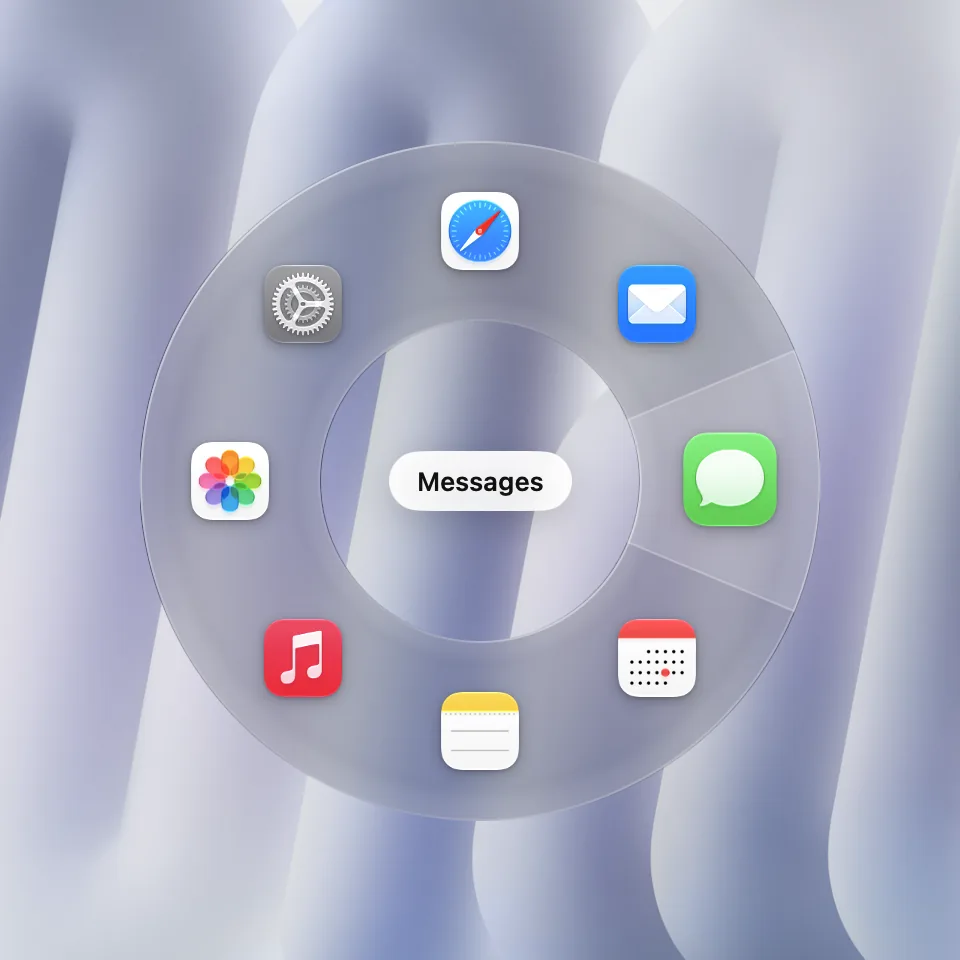
Hold ⌥ ⌘ for a moment, anywhere. The wheel opens around your pointer. Point at an app and let go, or click it. Press the keys again or click elsewhere to close it.
Prefer other keys? Choose ⌥, ⌃ ⌥ or ⌃ ⌘ in Settings. Shortcuts that use the same keys, like ⌥⌘D, keep working as before.
Your apps and folders
Add apps or folders in Settings and drag them into the order you like. The first sits at the top of the wheel and the rest follow clockwise. About a dozen fit comfortably.
Apps that are already open wear a small dot, so you can tell at a glance.
Made for macOS
On macOS 26 and later the wheel is translucent Liquid Glass and takes its colour from whatever is behind it. With Reduce Transparency on, it turns solid.
Orbit lives in the menu bar, where your items are listed too, and it can open at login if you switch that on.
Private by design
Orbit asks for Input Monitoring so it can notice the held keys while other apps are in front. Beyond those keys, it only notices that a key was pressed, never which one, and it never records what you type.
No account, no analytics, no network access at all. Your list stays on your Mac. Read the privacy policy.
Free, for macOS 14 or later. Coming soon to the Mac App Store.